X-Golf: Virtual Indoor Golf Simulator, Mobile App, and Internal Tools
CATEGORY
Product
TIMELINE
7 months
INDUSTRY
Sports Tech
TOOLS
Figma, Unity
💬 Project Overview
X-Golf delivers immersive indoor golf simulation technology for both professional and recreational players. The system combines high-fidelity graphics, real-time ball tracking, and interactive gameplay to create realistic, engaging, and competitive experiences.
The platform extends across simulator environments, mobile companion apps, and internal management tools for venue operators, requiring a scalable, consistent, and user-friendly UI/UX design across all touch points.
🌱 Problem & Opportunity
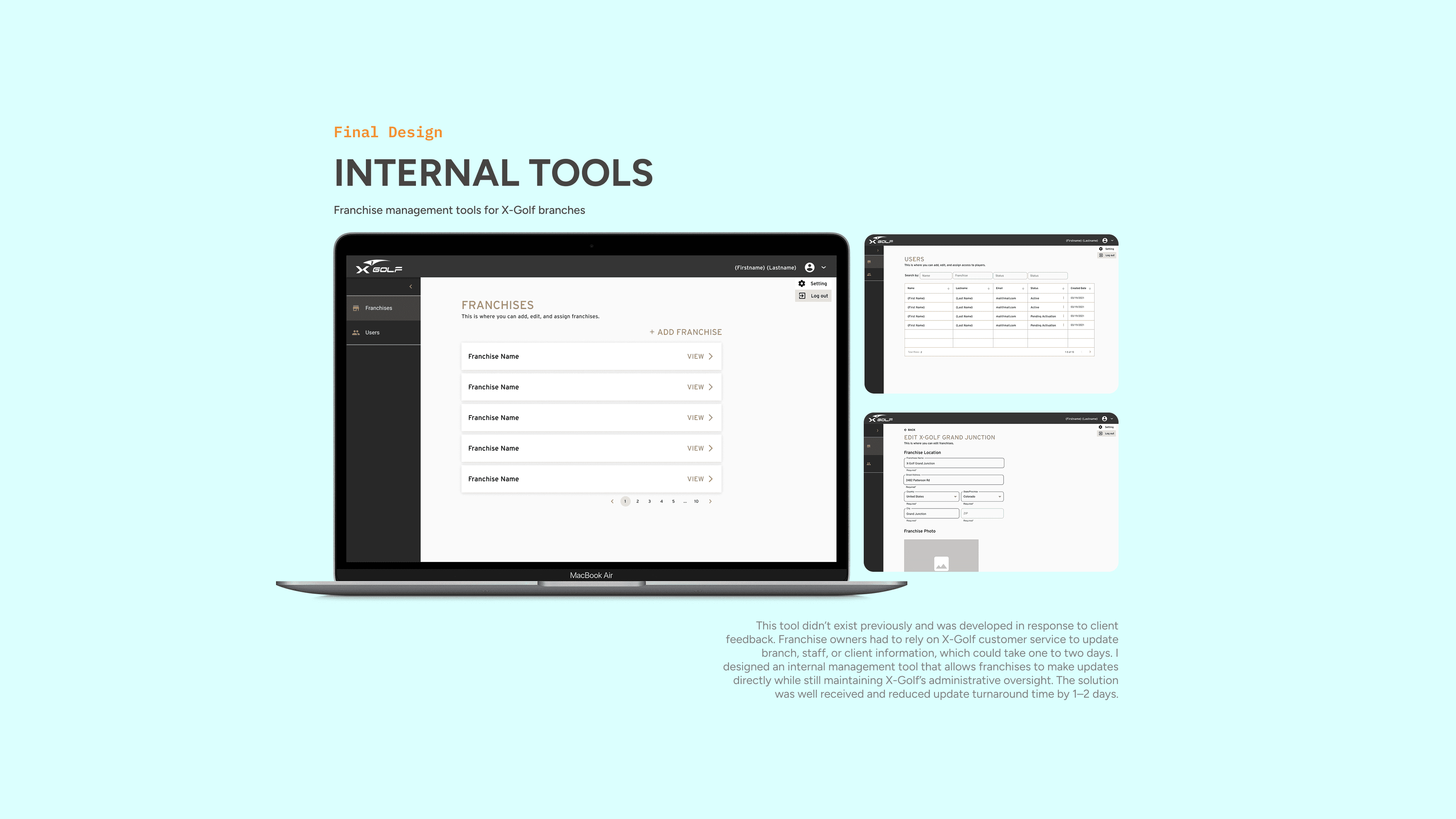
X-Golf’s digital interfaces spanned large simulator screens, mobile apps, and internal tools, but before this project, the internal management tools didn’t exist. Staff had to contact X-Golf customer service to update any information about their branch, clients, or team members.
Problem: Interfaces needed to be legible, interactive, and informative across multiple platforms, while supporting both gameplay and operational tasks.
Opportunity: Build a consistent, accessible, and user-friendly ecosystem that improves usability for players and staff, enhances operational efficiency, and creates a more immersive, enjoyable golfing experience.
Challenges
Delivering real-time performance feedback on large screens under variable lighting
Communicating game data and analytics clearly
Designing scalable UI components for multiple platforms (simulator, mobile, internal tools)
Balancing immersive gameplay with usability and staff operational needs
👩🏻💻 My Role
During my time at RFG Software, I worked as a UI/UX Designer for X-Golf simulator, mobile app, and internal tools. I collaborated very closely with another product designer and developer team.
Responsibilities
Created internal management tools for venue operators
End-to-end UI/UX across multiple platforms
Developed scalable design system
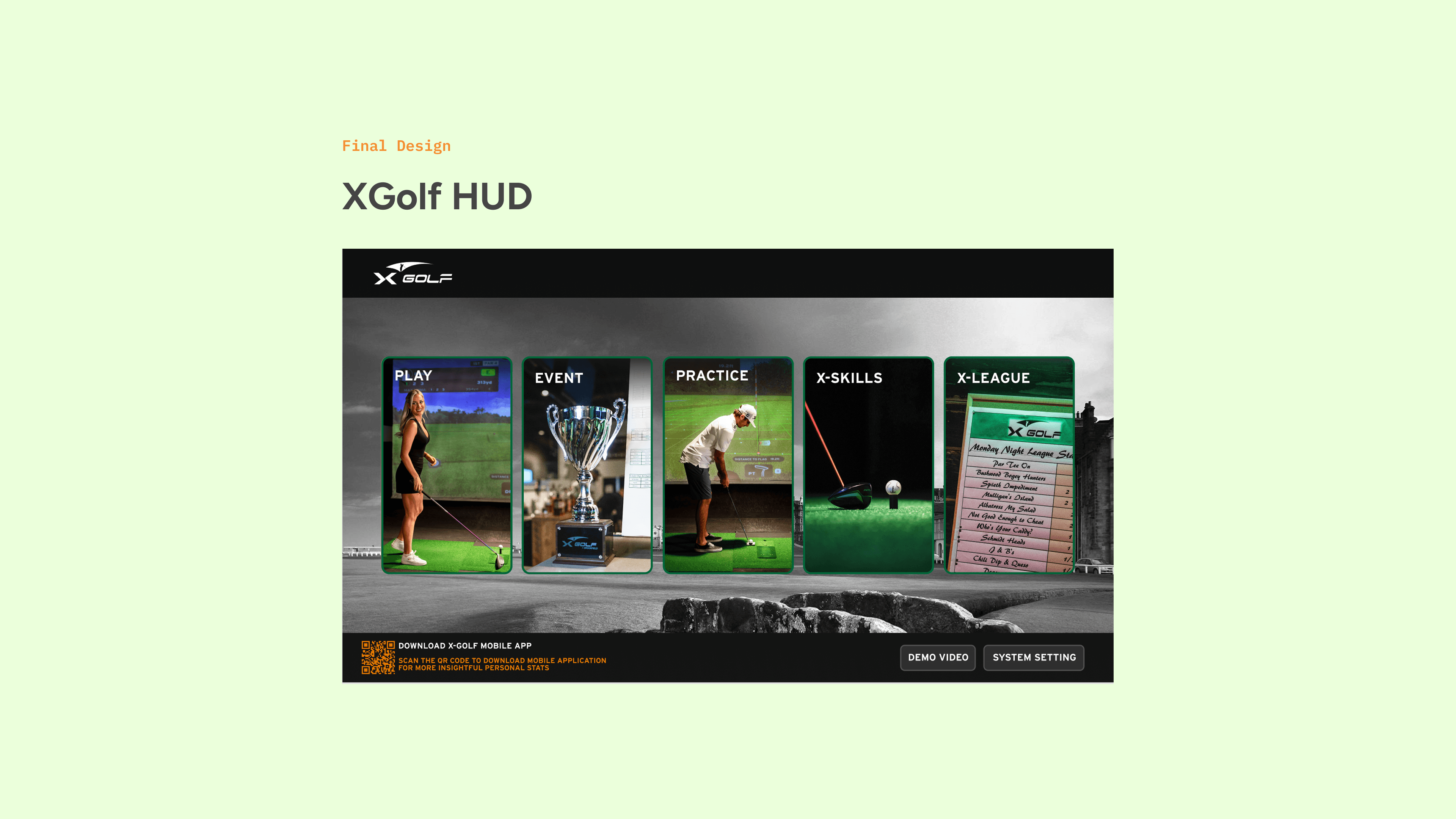
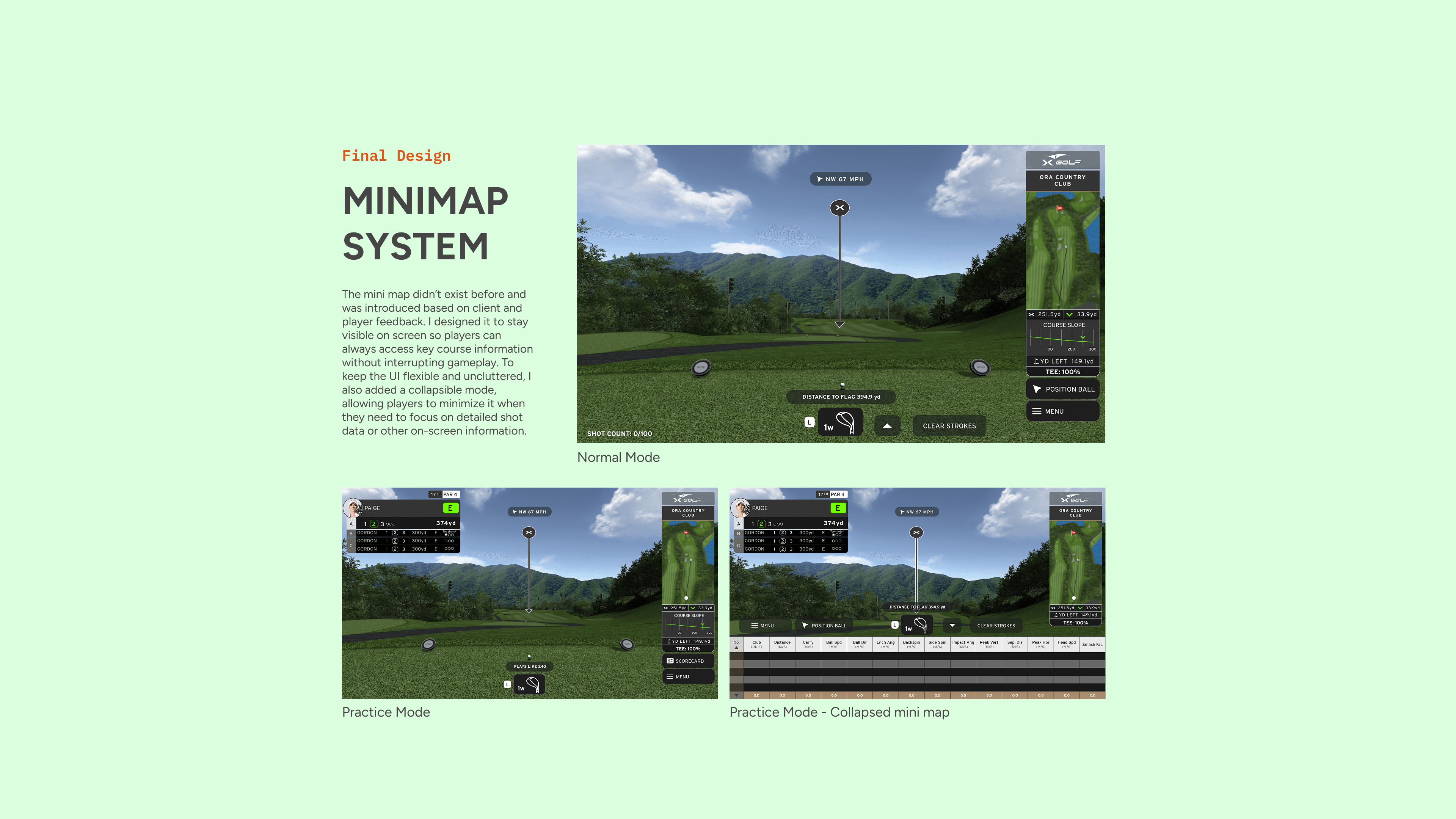
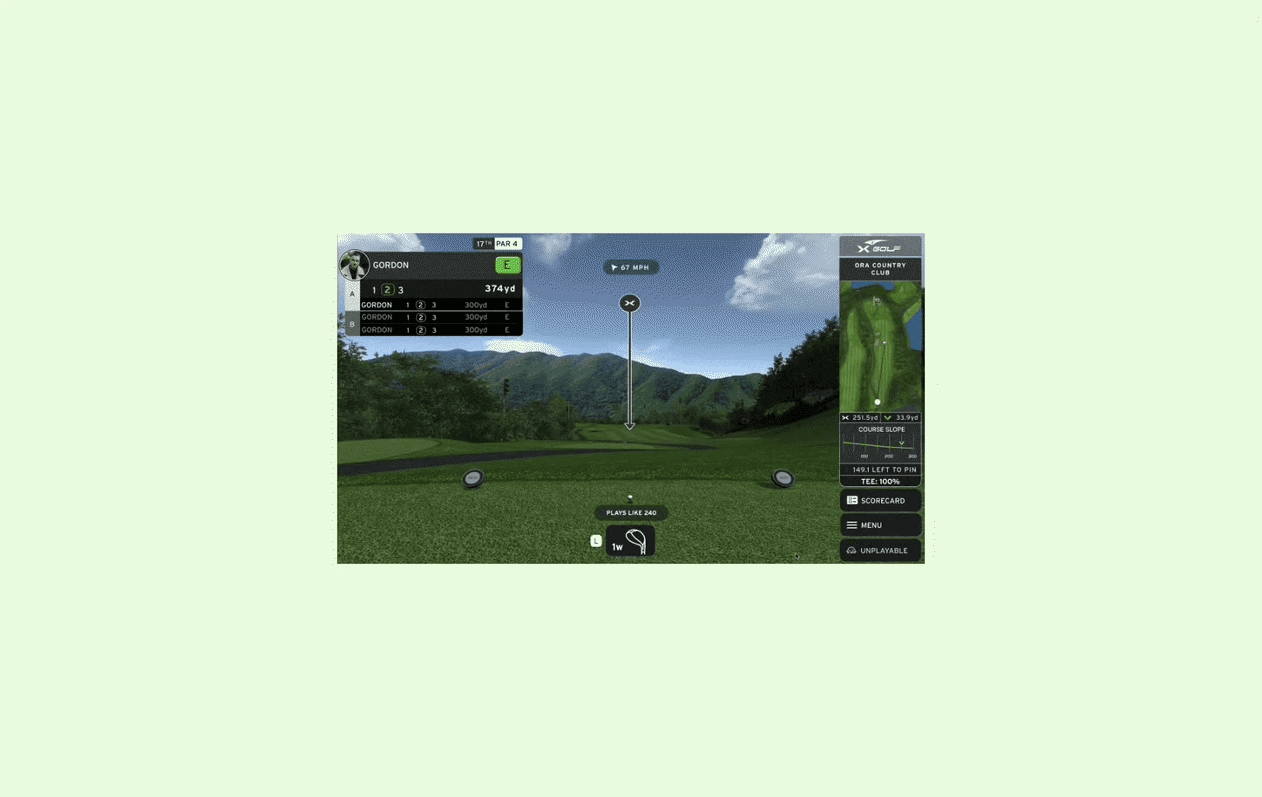
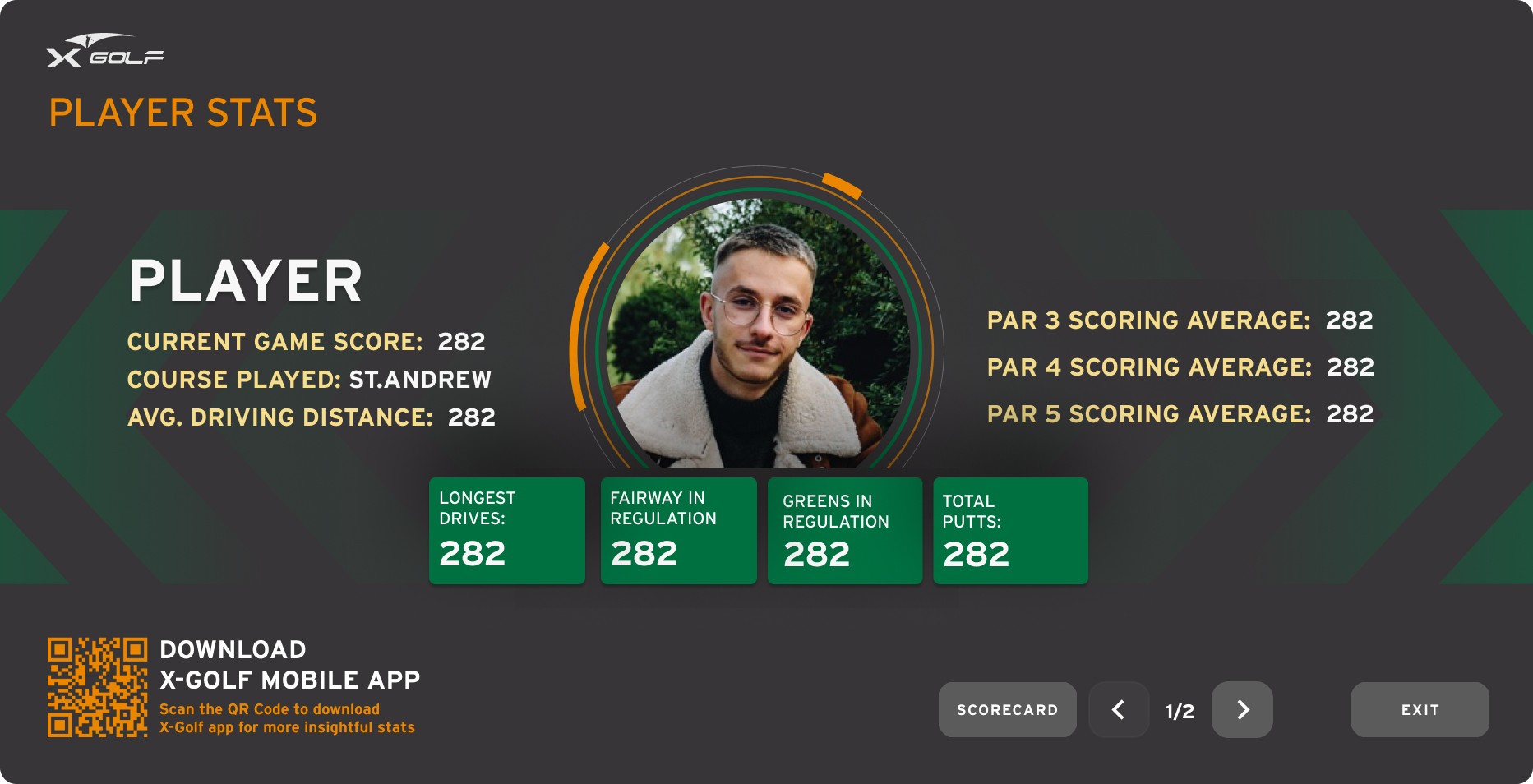
Redesigned gameplay screens, menus, and key screens and features such as the Main Menu, Add Player flow, Scorecard, Sponsor page, and in-game moments like the Hole-in-One celebration and Unplayable Lie interaction.
Collaborated closely with engineers and stakeholders
🏆 Project Scope / MVP
Created internal management tools, allowing staff to update branch and client information independently
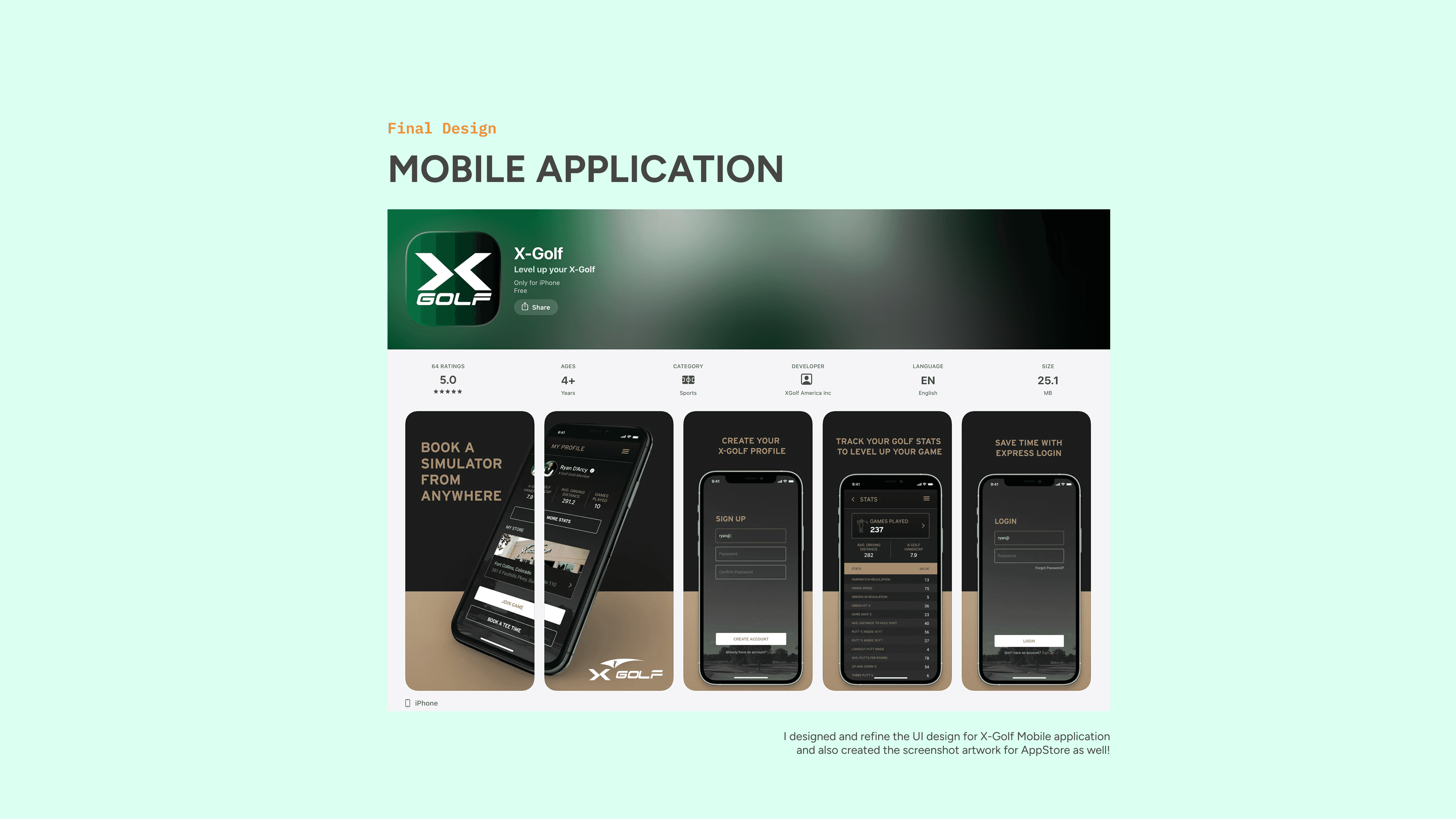
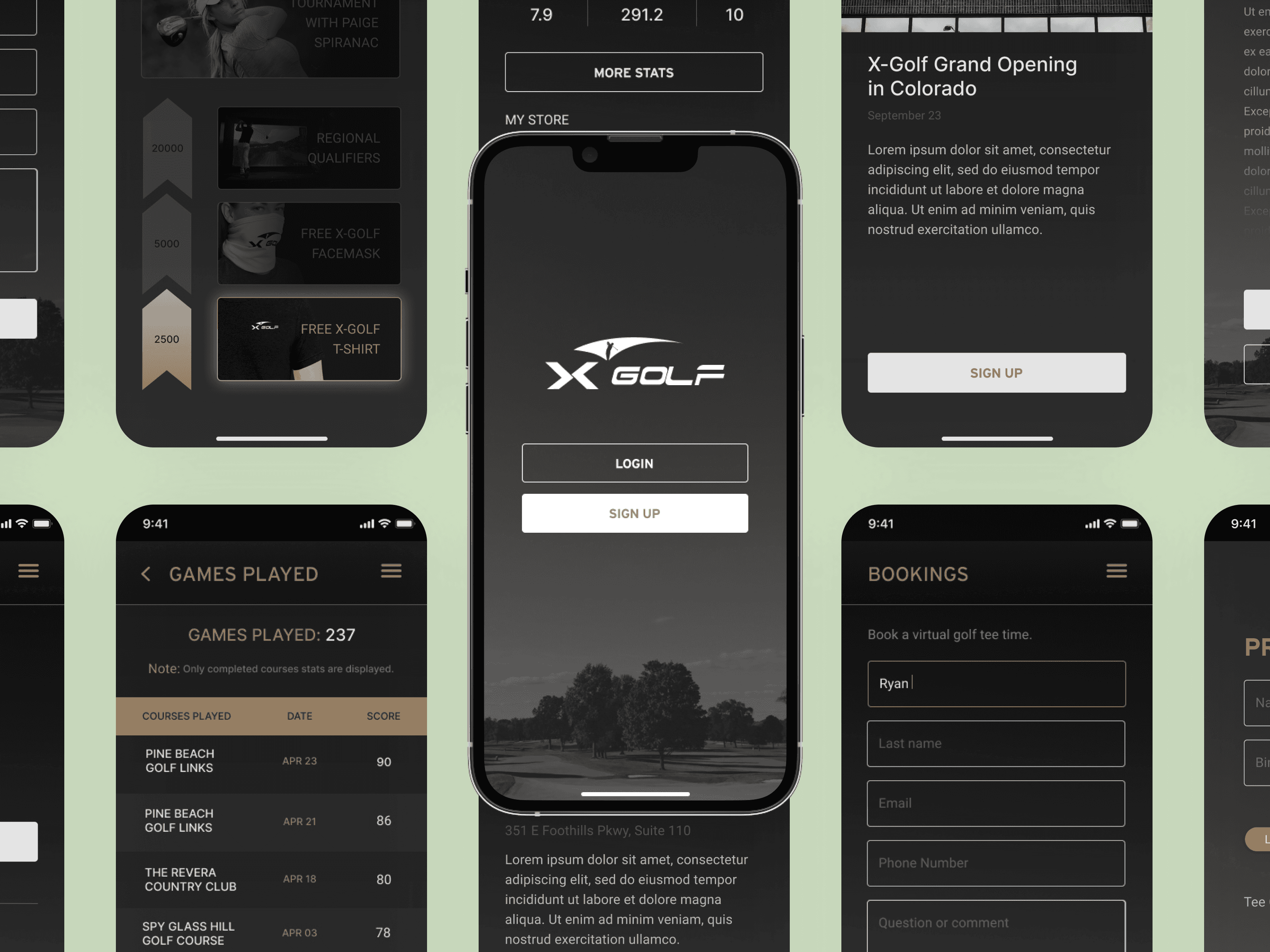
Redesigned simulator and mobile interfaces to improve readability, usability, and accessibility
Developed scalable component systems for consistent cross-platform UI
Designed end-to-end workflows while collaborating closely with developers in Unity and React Native
🎯 Our Solution
Simulator & Mobile UX: Redesigned key screens, menus, and in-game moments for clear visual hierarchy, accessibility, and responsiveness
Internal Tools: Developed a staff-facing dashboard for managing branch information, client details, and team members, while giving admins oversight and control
Design System: Created reusable components and design tokens for scalable, consistent UI across platforms
Cross-Platform Optimization: Accounted for device-specific constraints, lighting conditions, and rendering limitations to maintain performance and legibility
⭐️ Outcome & Impact
Enhanced usability and accessibility across all platforms, creating smoother gameplay and operational workflows
Internal staff empowerment: Updates that previously took ~2 days can now be done in less than a day through the internal tool, greatly reducing administrative overhead
Scalable design system simplified development and future feature updates
Improved overall experience for both players and venue staff
Gained hands-on experience designing within real technical constraints in Unity & React Native
Hole in one animation - creating memorable moment for player 🎊
💡 Key Learnings
This was my first UI/UX job in Canada right after I graduated from VFS, and I couldn’t be more grateful for my amazing teammates 🥹
The project taught me to:
Design within technical and platform constraints while keeping UX intuitive
Optimize readability and accessibility across screens and lighting conditions
Build component-based, scalable systems aligned with developer workflows
Communicate effectively with engineers to balance UX and feasibility
Prioritize core user experience while adapting to timelines and technical limits
This project and the RFG team will always have a special place in my heart 💖 It was a true launching pad for my career in Canadian UI/UX.